This website is organized using two navigation menus, the 'mega menu' which runs across the top of all pages and directs users to landing pages for broad topic areas in the manual, and the 'main menu' which is comprised of the left side bar menus that appear on many pages. In large part, these menus reflect the organization of content in previous versions of the manual; however, practical considerations such as managing menu size have influenced reorganization for some portion of the manual.
Caution: Some navigation menus are currently undergoing revision.
Main menu (left side bar)
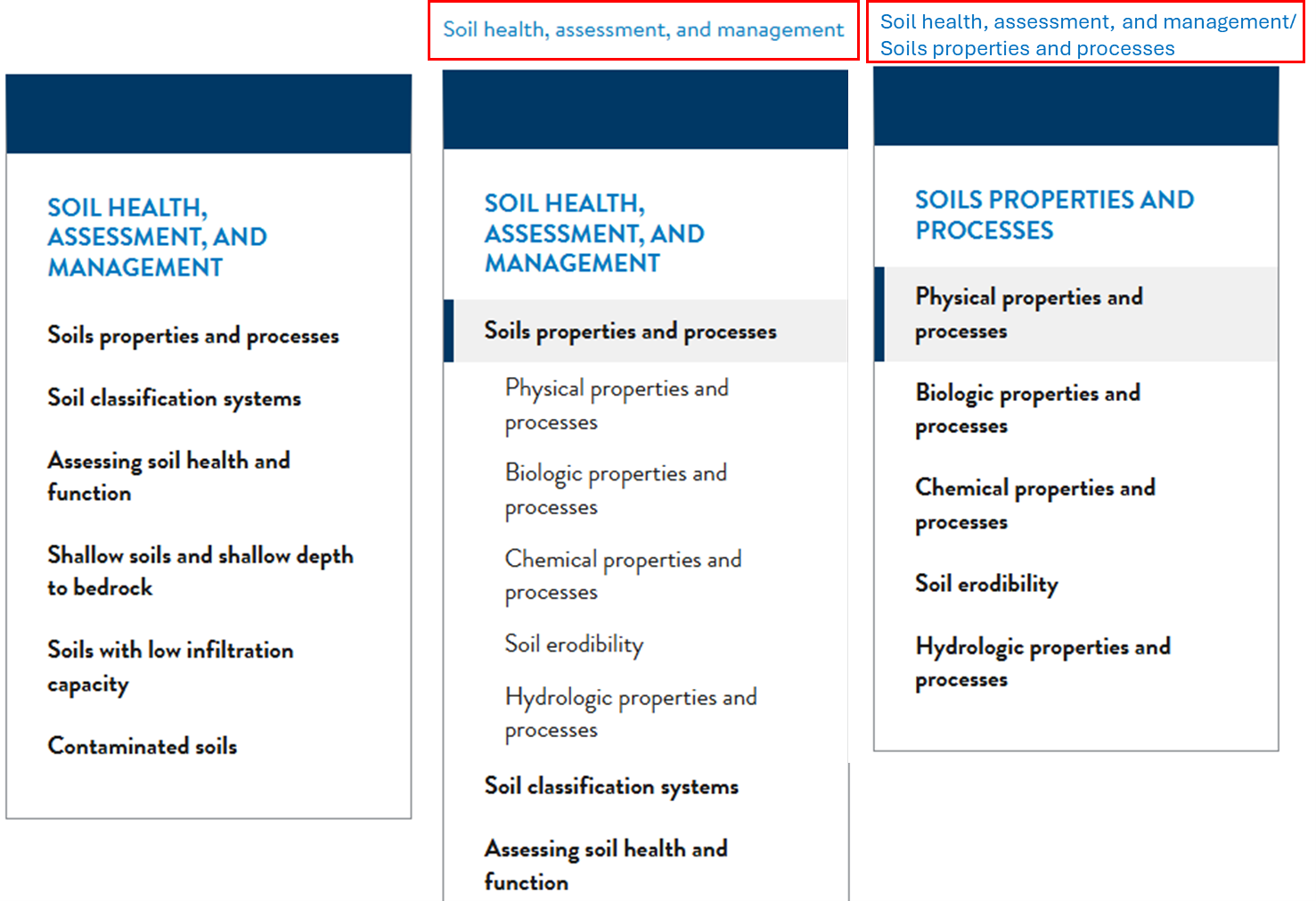
- Side bar menus typical include 2 to 3 nested levels under the main heading for the menu. In a few instances, a fourth, nested level has been included.
- The side bar menu can display 3 levels at any given time. As you selected items nested further down in the menu, the displayed title will change accordingly and headings at higher levels are displayed as 'breadcrumbs' above the side bar menu (see image below).
- Not all pages in the manual are currently assigned to a menu item. This means that you will not be able to navigate directly to these pages using the navigation menus. These pages can be accessed using the site search tool.
- Eventually, these will be limited to pages that contain supporting content for example a list of links to supporting, historical documents or a page featuring a table that included within other pages in the manual.
- For an interim period of time, user will need to use the site search to access pages that have not yet been assigned to a menu.
Site Search Tool
You can also use the website search engine to find content using key words or phrases. The search tool prioritizes page returns based on key word relevance. High priority is given to pages than contain the key word(s) in the title and ranked based on the frequency of the key word(s) or phase on the page.
If your search returns numerous items, you can use the search tips listed below to refine your search.
- Search looks for exact, case-insensitive keywords; keywords shorter than a minimum length are ignored.
- Use upper-case OR to get more results. Example: cat OR dog (content contains either "cat" or "dog").
- You can use upper-case AND to require all words, but this is the same as the default behavior. Example: cat AND dog (same as cat dog, content must contain both "cat" and "dog").
- Use quotes to search for a phrase. Example: "the cat eats mice".
- You can precede keywords by - to exclude them; you must still have at least one "positive" keyword. Example: cat -dog (content must contain cat and cannot contain dog).